Introducing Asana and the On-ramping Process
Reading Time: 9 minutes Asana is one of the project management tools we use to help us serve you well. In today’s article, we take you on a virtual tour of the Asana interface – starting with the on-ramping process – showing just how much we go above and beyond to invest in state-of-the-art tools that allow us…
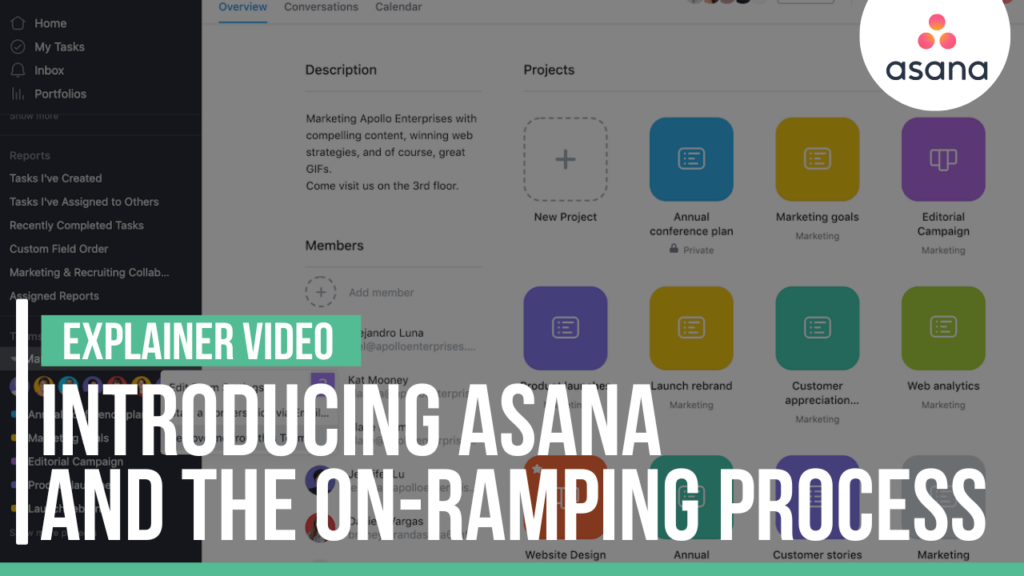
Asana is one of the project management tools we use to help us serve you well. In today’s article, we take you on a virtual tour of the Asana interface – starting with the on-ramping process – showing just how much we go above and beyond to invest in state-of-the-art tools that allow us to give you peace of mind.
Here is a quick overview of our on-ramping process. We will go through the actual terms during our on-ramping meeting.
Table of Contents
All About Your Association
So, your condo association will have two projects. The first project will be the sample or the name of your association. The second one – just so you don’t get confused – is in the HOA section.
On the bottom left corner, you can see there are different Teams, and we use Sample Association for our on-ramping. Any task or anything that needs to be done in your condo association moving forward after the on-ramping process will be in another team.
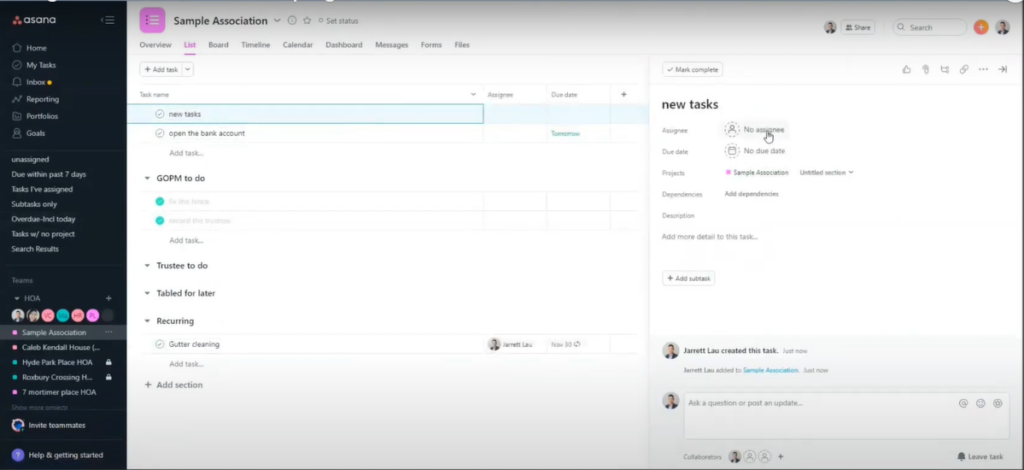
A screenshot of the Asana interface, where you can follow through with all tasks related to your association
As you can see on the right, there is a new task. You can create a new task using the Add task feature and assign it to anyone who should take care of it. Here, you will also set the task’s Due date, add a Description, or upload an Attachment.
Building Out Your Workflow
To ensure smooth operations, we establish templates tailored to your properties and tenants. For example, we create a “[Property Name] Property” project template, then generate projects for each property from this master. Similarly, we set up a “[Tenant Name] Tenant” project template and roll out a dedicated project for each tenant. This makes it easy to keep property-specific and tenant-specific tasks organized from day one.
Task Management Made Simple
Work to be done—such as maintenance requests or document renewals—are added as tasks within these projects. If certain tasks are recurring or have multiple steps, we use subtasks or even set up task templates, so recurring work is never missed and always assigned to the right person.
Keeping Everything Connected
To manage the intersections between properties and tenants, we sometimes use multi-homing. This means a single task can appear in both a property project and a tenant project, so nothing falls through the cracks.
Portfolios for the Big Picture
For an overview at a glance, we create both a Properties portfolio and a Tenants portfolio. This allows us to manage and monitor every project at a higher level, ensuring best practices are followed at the task, project, and portfolio levels. The result? A seamless workflow that keeps you informed and your association running smoothly.
Should You Jump In Without Experience?
A quick word of caution here: attempting to manage a workflow of this size and complexity without truly understanding the ins and outs of your project management software can lead to confusion and missed opportunities. These tools offer powerful features, but unlocking their full potential often requires either a hands-on deep dive into their capabilities or enlisting the help of an expert—think of it like learning to drive a Tesla with all the advanced features turned on.
If you’re new to this kind of digital workspace, consider investing a little extra time in training or reaching out to certified consultants (yes, there are specialists out there for just this purpose—think of them as the AAA of workflow). This ensures you’ll set up your processes correctly from day one, avoid common pitfalls, and help your entire association work more efficiently.
Managing Tenant Onboarding Alongside Property Tasks
Now, if you want to keep tenant onboarding running smoothly while juggling ongoing property management to-dos, there’s a simple—and organized—approach.
Start with two main project templates:
- One for each property (think: “
123 Maple Ave Property”).
- Another for each tenant (“Smith Family Tenant”).
For every new property or tenant that comes in, just duplicate the appropriate template. This way, all your important checklists—like welcome packet emails, lease signings, or key handovers—stay consistent every time.
You can also use subtasks for recurring chores (like monthly inspections), and if something needs to be done by multiple people or appears in both the property and tenant lists, simply assign it to both.
To keep the big picture crystal clear, set up two master portfolios:
- A portfolio tracking all properties (“Properties Portfolio”).
- Another for every tenant (“Tenants Portfolio”).
This gives you a bird’s eye view of progress everywhere—whether you’ve got one building or a fleet of high-rises. Remember: it’s all about having a logical place for every task, so you never miss a detail and can always see what matters most.
Streamlining Recurring Maintenance Tasks
Now, when it comes to those recurring maintenance tasks—like swapping out the parking lot bulbs every so often—you’ll save yourself a mountain of reminders by setting up recurring tasks right inside each property’s project. Rather than reinventing the wheel every month, you can simply create a task for something like “Replace parking lot lights,” and set it to repeat as often as needed. This way, every time you check it off, it’ll conveniently pop back up for the next go-around.
Prefer to keep things consistent across all properties? Create a template project for routine property maintenance tasks. Then, spin up new projects for each location from that template—all the repeatable work will come ready to roll. This not only keeps your process tidy, but you’ll never miss a beat when it comes to those less glamorous, but oh-so-important jobs. Essentials like periodic inspections, HVAC servicing, and tenant onboarding can each have their own reusable routines, slashing the admin hassle.
Of course, if you have certain tasks that only apply to a handful of properties, you can always duplicate them exactly where you need, adjusting the schedule as you go. This flexibility means you keep everything tailored but still super organized.
Structuring Workflows for Properties and Tenants
You might be wondering how to keep everything neatly organized, especially when tasks overlap between properties and tenants. Here’s how you can break things down without breaking a sweat:
Start by creating dedicated projects for each property and each tenant. Think of these as virtual binders—one for every building, another for every resident. Within each project, log all ongoing work as tasks. For recurring jobs—like monthly inspections or annual lease renewals—use task templates so nothing falls through the cracks.
Sometimes, a task might relate to both a property and a tenant—like a repair in Apartment 3B for Mr. Smith. In these cases, simply link or “multi-home” the task so it appears in both relevant projects. This way, anyone scrolling through either binder will see what’s happening.
For the bigger picture, group all your property projects in one portfolio and all your tenant projects in another. This allows for easy tracking and ensures you can spot overlapping needs or trends at a glance.
These simple strategies help ensure your workflow is clear, organized, and efficient—even when things get a little tangled between tenants and properties!
Organizing Maintenance Across Multiple Properties and Tenants
Let’s talk about keeping your maintenance requests and property upkeep streamlined—especially when you’re juggling 40 commercial properties, each with multiple tenants to keep happy.
A great way to do this is to create a dedicated project for each property. That way, every maintenance need—from replacing a rooftop HVAC filter to repainting conference rooms—lives in a clear, designated space. If you have tenants who frequently submit requests, you might also set up a project specifically for each tenant; this makes it a breeze to track recurring issues or requests unique to their space.
When a new maintenance request comes in, just add it as a task in the property’s project (or the tenant’s), along with important details like a description, due date, and any relevant attachments—maybe a photo of that leaking faucet or a quote from your favorite plumber. For repeat jobs like quarterly inspections or seasonal landscaping, you can set up task templates or recurring tasks, so nothing falls through the cracks.
To keep an eye on the big picture, bring all your property projects together into a portfolio—this provides a high-level dashboard to monitor which properties need attention and which tenants have active requests. Similarly, grouping tenant projects gives you a tenant-centric view of open issues and ongoing jobs.
And here’s a pro tip: use subtasks to break bigger jobs down—say, organizing a multi-day office renovation into demolition, painting, and cleaning—so each step is assigned and tracked with laser-sharp clarity.
With this type of organized approach, you’ll always have a bird’s-eye view of what needs doing, and nothing ever slips under the rug (unless, of course, that rug’s maintenance is overdue).
The Asana On-ramping Process
At Green Ocean Property Management, there are two basic steps to get started with Asana.
- We will add you to the HOA Teams.
- You sign up for Asana.
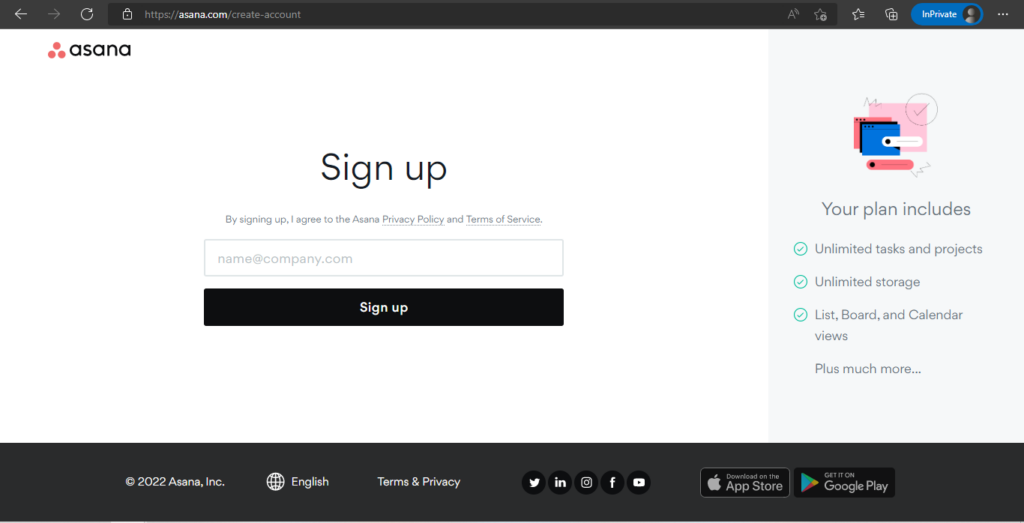
After you Create an account, we will do the training with you. Once you sign up to Asana, you can follow anybody with any project or task that gets done. We have different categories for our setups. If there is anything specific that we need from you, we may assign it to you but this also gets done and sent to every single one of our task members.
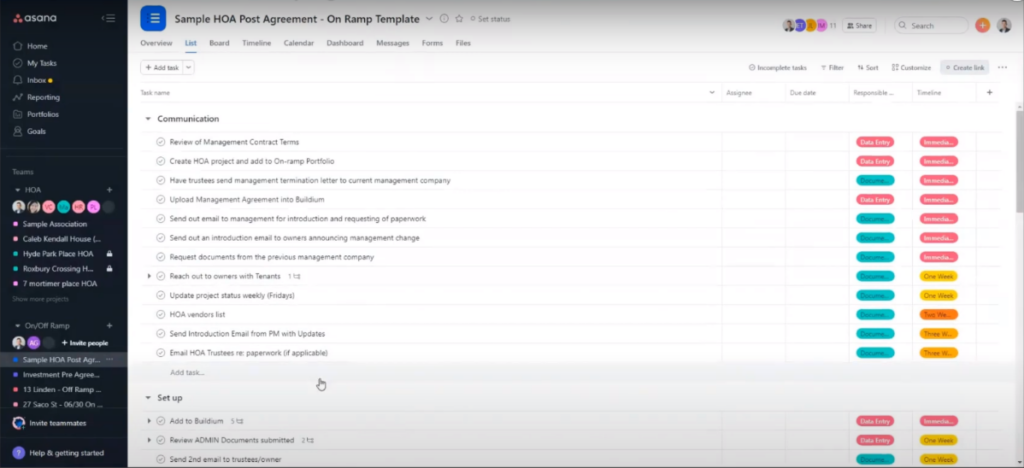
A sample HOA project, where you see all tasks, due dates, and assignees
There will be due dates for every single task and you can follow along as the tasks get completed. We will have a timeline on when we want this entire project as we counted it to be finished and that is when your property or association will be on-ramped.
Building a Seamless Workflow
To make things easy and organized, we set up project templates for your association and for each tenant. For your property, we create a “[Property Name] Property” project template, and from there, we can spin up projects for each unique building or association. Similarly, for tenants, we have a “[Tenant Name] Tenant” template, ensuring every tenant has their own dedicated project.
Within each project, work is broken down into tasks—with subtasks for those recurring to-dos or more detailed steps. This way, nothing falls through the cracks, whether it’s a one-time onboarding document or a regular maintenance check.
To keep everything connected, we also group properties and tenants into dedicated portfolios. This lets you see the big picture or drill down to the details, all in one place. If a task overlaps between a property and a tenant—say, a maintenance request for a specific unit—we use multi-homing, so you’ll see it wherever it matters.
By following these best practices at every level—task, project, and portfolio—we make sure your on-ramping and day-to-day management are as smooth and stress-free as possible.
Best Practices for Structuring Large Commercial Portfolios
When it comes to organizing large commercial real estate portfolios within our project management systems, keeping things streamlined and easy to track is key.
Start with Smart Templates:
Begin by creating master templates for your properties and tenants. For example, build a “Property” template for each building or complex, and a “Tenant” template for each resident or business. From these, set up individual projects for each property and tenant, so information stays organized as your portfolio grows.
Break Down Work with Tasks and Subtasks:
Within each project, clearly outline specific tasks—think repairs, lease renewals, or inspection dates. Use subtasks for recurring or detailed pieces of work. Assign these tasks to the right team members, set due dates, and attach important documents or images for easy reference.
Use Portfolios for a Birds-Eye View:
Group related projects—like all properties—into a portfolio. Do the same for tenants. This way, you get a big-picture dashboard for quick status checks, upcoming deadlines, and progress tracking across the entire portfolio.
Cross-Link Where Needed:
For tasks that involve both properties and tenants—like move-in coordination or maintenance—tag or categorize these so they appear in both areas. This avoids duplicate work and makes collaboration easier.
Adopt Workflow Best Practices:
- Set up clear naming standards for projects and tasks for easy searching.
- Use color-coding or priority tags to highlight urgent issues.
- Schedule periodic reviews to update statuses and reprioritize as things change.
- Standardize recurring tasks using pre-built templates, so nothing important slips through the cracks.
Finally, managing a large real estate portfolio is all about clarity and consistency. By leveraging templates, portfolios, and regular process reviews, you’ll build workflows that scale smoothly—making oversight straightforward, no matter how complex your property list becomes.
Step-by-Step Guidance and Workshops
If you’re looking for clear, step-by-step support in designing and setting up workflows—whether you’re new to property management software or just want to get even more organized—there are excellent resources available. We recommend checking out free online workshops and webinars hosted by industry leaders like Asana Academy, Buildium, and AppFolio. These sessions often include practical demonstrations and best practices tailored to both individual users and entire teams.
Feeling a bit overwhelmed or unsure where to start? No worries! Many of these workshops walk you through typical setups, how to avoid common pitfalls, and tips for keeping your association’s tasks streamlined and transparent. You’ll find video tutorials, downloadable guides, and recipes for repeatable project structures—making it simple to keep everything on track, from onboarding new members to managing day-to-day operations.
For the latest updates and scheduled workshops, keep an eye on the help or learning centers of your management software platform, as well as property management forums and YouTube channels dedicated to workflow optimization. This way, you’ll be armed with expert guidance as you navigate every aspect of your community’s management.
Our commitment
If you or anyone else you know is looking for a proactive property manager that invests in the right tools to manage your association and makes sure you follow through with the on-ramping process, please think of Green Ocean Property Management: where you get more than a property manager, you get peace of mind.

What’s Changing in Boston Rental Laws in 2026 (And What You Should Do Now)
Reading Time: 3 minutesProperty owners and investors managing Boston rental properties, whether overseeing a single building or extensive portfolio, must stay informed about crucial Massachusetts landlord tenant law 2025 changes and Boston rental laws 2026. The state is experiencing significant regulatory shifts that will transform property management practices, tenant screening best practices Boston, and strategic growth planning. To…

5 Essential Legal and Regulatory Tips for Boston Property Investors
Reading Time: 3 minutesInvesting in rental properties in Boston can be profitable, but it also comes with various legal and regulatory compliance requirements that landlords and property managers must follow. These laws and regulations protect tenants’ rights and ensure that rental properties meet safety and sanitary standards. Failing to comply with these rules can lead to penalties, fines,…
The Changing Rental Market: What Property Owners Can Expect For The Next Decade
Reading Time: 5 minutesThe rental market has undergone significant shifts in recent years. While the pandemic brought temporary fluctuations, the long-term trend points towards a dynamic and evolving landscape for property owners in the next decade. This article explores the key trends shaping the future of rental housing and how property owners can prepare for success in this…
Experience exceptional management and elevate your property with us